
Where Did My Smart Folders Go?
I received a fun email from longtime Cook’n user Janet Faragher this week:
“Thanks for a great program. I've been a user since the program was Cook'n, with no version and you were the only programmer. You and the elves are doing a great job. The latest update seems to have misplaced the 'Recently Viewed' and 'Recently Made' or are they just hiding from me?
Thanks to you, Kathy and all the elves,
Janet Faragher”
Wow, Janet! You really have been with us from the beginning, back when I was the only programmer and the “elves” were mostly just me! 😊 Thank you for sticking with Cook’n all these years!
And as for Recently Viewed Recipes and Recently Made Recipes...
They’re still there. They’re just hiding! 😊
We recently redesigned the My Recipes view, and one of the changes was how you get to things like Categories and Smart Folders.
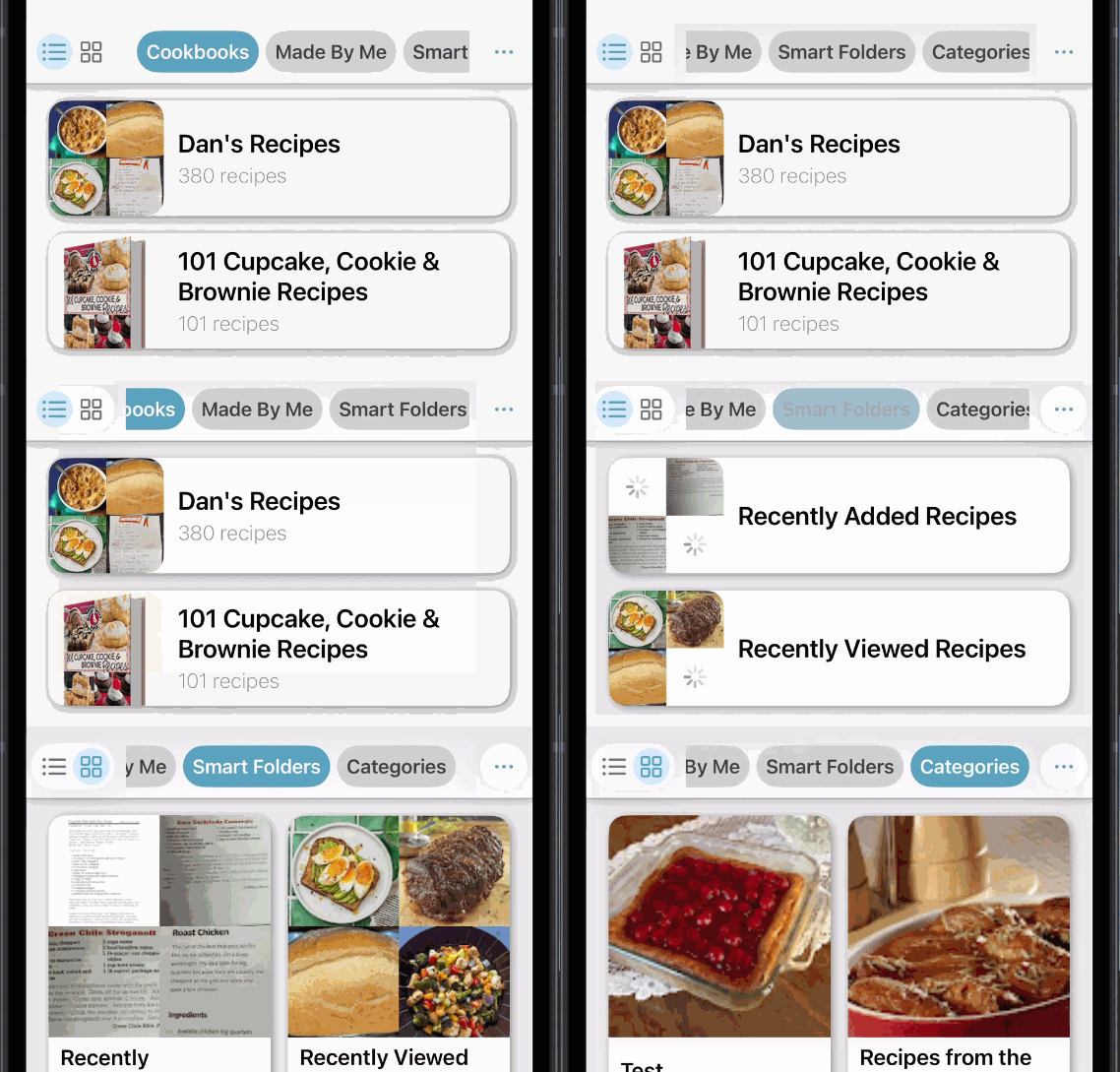
At the top of My Recipes, you’ll now see a row of buttons, or “pills,” for things like Cookbooks, Made By Me, Categories, Smart Folders, and more.
Here’s the trick that’s easy to miss:
Slide those pills to the left!
When you do, you’ll reveal additional options, including Smart Folders. Tap Smart Folders, and there are your Recently Viewed Recipes and Recently Made Recipes, right where you left them!
Watch How Easy It Is
If you’d like to see a more complete tour of the new My Recipes view, I also made a demo video when we first introduced it:
Janet, I’m glad you asked because you’re definitely not the only person who has gone looking for these!
And that tells me we probably made this particular feature a little too good at hide-and-seek. 😊
So, if you've been wondering where your Smart Folders went, remember:
They didn't disappear. Just give those pills a little slide to the left!
Thanks again, Janet, for being part of the Cook’n family for all these years. It means a lot to Kathy, me, and all the elves!