
Confessions of a Culinary Elf: Your Chicken Needed Cheese
Recently, after reading our recent newsletter article introducing the new Magic Scan feature , Carolyn Thurston decided to try it out and wrote in:
“I was thrilled to see the new video of the magic scan, so I had to go try it out on this recipe:
https://oursaltykitchen.com/baked-parmesan-crusted-chicken/
I copied it to my clipboard, pasted it into Cook'n, added the title, then clicked the Magic Scan button.
It added marinara sauce, shredded mozzarella cheese, and even created its own Italian seasoning blend! Weird! What gives with this?”
First of all, Carolyn, thank you for taking the time to test it and write in. We love it when our users keep the Elves accountable.
Now let’s talk about what happened here, because this is important for everyone.
🟢 Step 1: Always Try Capture First
That recipe Carolyn linked to can be captured perfectly using the Cook’n Capture Plugin.
If you’re on a recipe website like this one, you should simply click the Capture button in your browser.
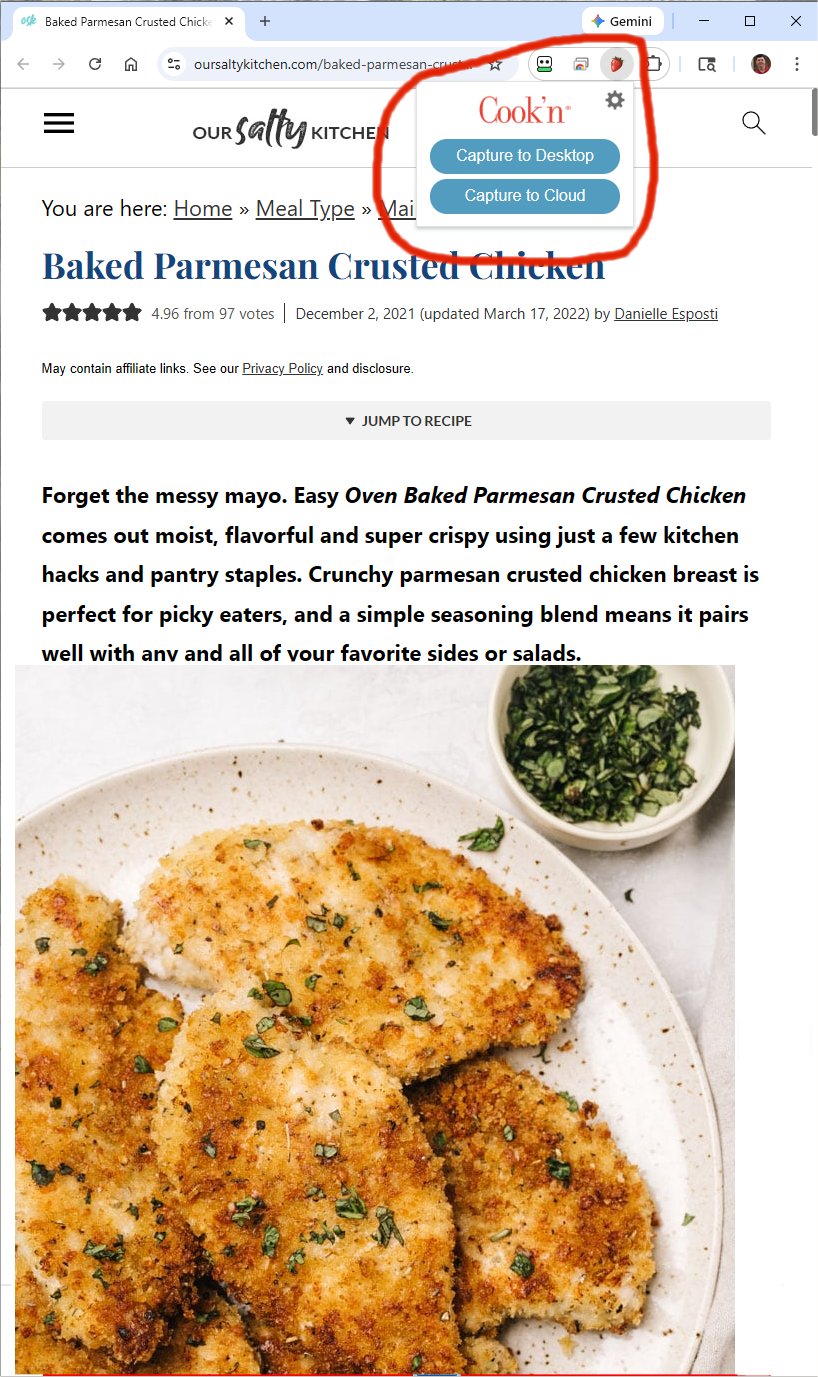
One click. Done. Clean recipe. No improvising Elves.
If you have not installed the Capture Plugin yet, please take a minute and do that now:
https://www.dvo.com/capture-plugin-info.php
It only takes a minute, and it will save you a LOT of time.
When Should You Use Magic Scan?
Magic Scan is designed for recipes that are:
- In Word documents
- In Google Docs
- In PDFs
- In old text files
- Typed in messy format
- Copied from somewhere that isn’t a structured recipe website
That’s where Magic Scan shines.
It takes unstructured text and turns it into a beautifully formatted Cook’n recipe.
So Why Did the Elves Add Marinara Sauce?
Look at this photo...

...need I say more? 😂
OK. Here’s the honest answer.
When you copy and paste an entire web page into Magic Scan, you are not just pasting the recipe. You are also pasting:
- Surrounding text
- Suggested variations
- SEO fluff
- Possibly “serve with marinara” suggestions
- Hidden formatting
- Related content
The Elves then look at all of that and try to interpret what the recipe is supposed to be.
And sometimes, they get inspired.
Apparently, in this case, they decided your Parmesan chicken needed a little Italian upgrade.
- Marinara sauce.
- Mozzarella.
- Custom Italian seasoning blend.
You’re welcome.
Now, would that have happened if you clicked Capture?
Nope.
Capture pulls the structured recipe data directly from the page. Magic Scan interprets pasted text like a culinary poet.
Very different tools.
The Right Tool for the Right Job
Here’s the simple rule:
- 🌐 On a recipe website? → Use Capture
- 📄 In Word, Google Docs, PDF, or random text? → Use Magic Scan
If you remember that, you’ll never have renegade mozzarella again.
A Quick Note to Our MasterCook Friends
If you migrated from MasterCook and have not installed the Cook’n Capture Plugin yet, this may be why you are copying and pasting instead of capturing.
Please take a minute and install it here:
https://www.dvo.com/capture-plugin-info.php
It will make Cook’n feel magical in the best possible way.
Carolyn, thank you again for writing in. We truly appreciate you helping us refine the magic.
And to the rest of you, if the Elves ever get a little too creative in your kitchen, just remember:
- They mean well.
- They cook with passion.
- And sometimes they cannot resist adding cheese.
Happy cooking!!
 Dan Oaks
Founder of DVO Enterprises
Creator of Cook'n
Grandfather of 4. Father of 5. Husband of 1.
Monthly Newsletter Contributor since 2024
Email the author! dan@dvo.com