
Yes…We Added the Undo Button
Today’s Cook’n Desktop update brings a feature that makes experimenting with your recipes easier, faster, and completely stress-free.
This week’s Cook’n Desktop update includes a Magical Undo button.
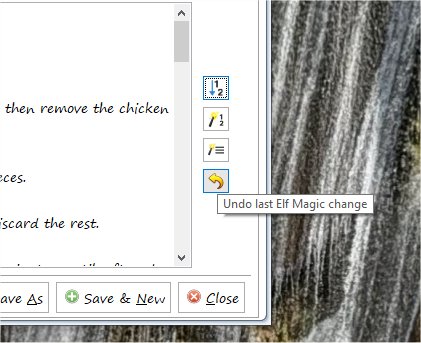
If you’ve been using Elf Magic to rewrite recipe directions, fix grammar, or convert directions into a numbered list, you already know how powerful it is. But sometimes—just sometimes—you look at the results and think:
“Hmm…that’s good, but I liked it better the way it was.”
Until now, the workaround was a little clunky: close without saving, reopen the recipe, and try again. It worked… but it wasn’t exactly magical.
Thanks in large part to persistent (and enthusiastic!) feedback from longtime Cook’n power user Linda Dehaven, that’s now a thing of the past.
Linda summed it up perfectly in the Cook’n Forum right after I announced the update:
“Dan skipped the BEST PART, in my not-so-humble-opinion.
HE’S HAVING THE PROGRAMMERS ADD AN UNDO BUTTON!! ❣
Now we don’t have to save, then close without saving if we decide we don’t like the changes.
Watch the horizon 🥰 ”
She’s right. This is the best part. 😄
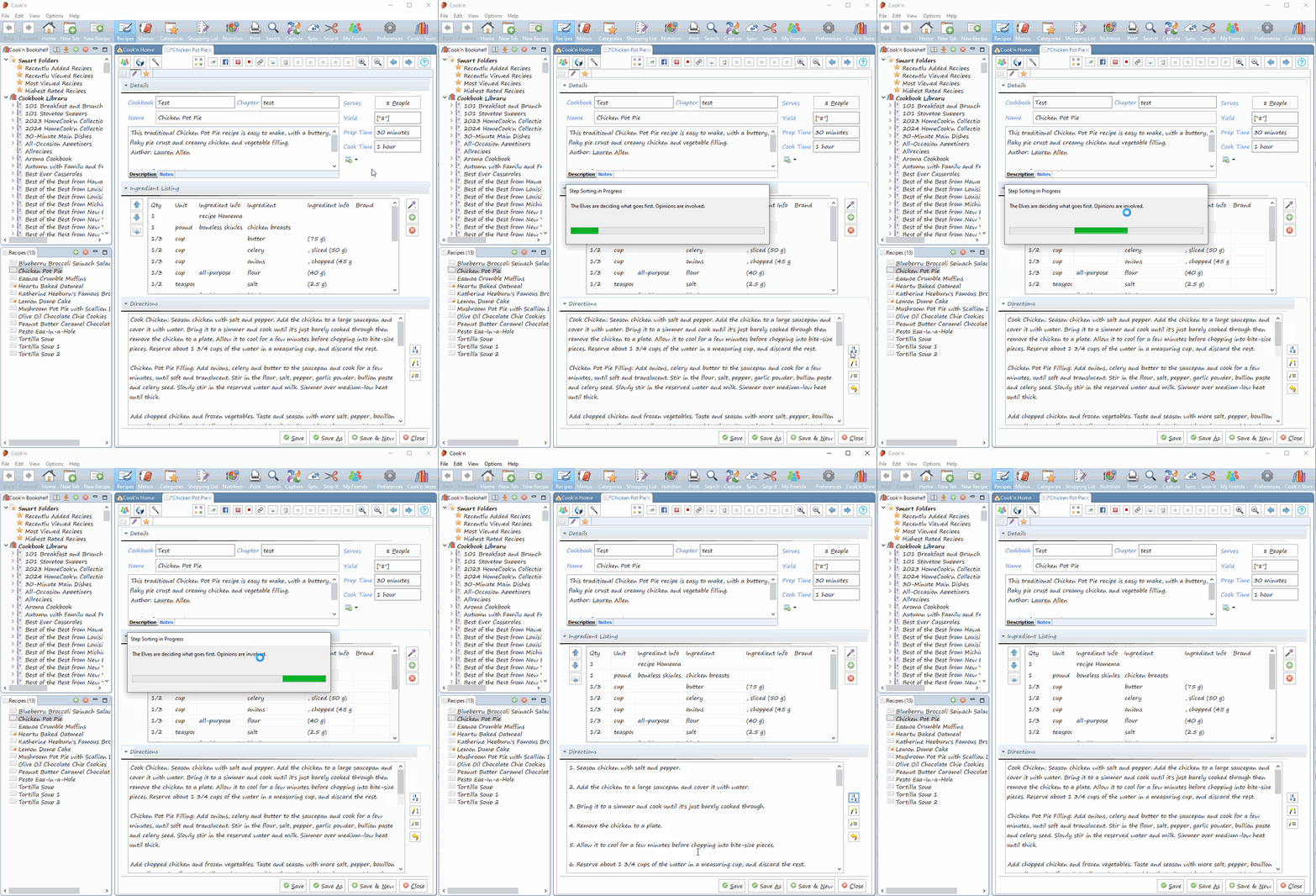
Now, when you use Elf Magic:
- You can instantly undo the last change with the new Undo button
-
Or, if you prefer keyboard shortcuts:
Ctrl-Z on Windows PCs
Cmd-Z on Macs
Try something bold. Experiment. Let Elf Magic do its thing—and feel free to rewind if the result isn’t quite what you wanted. No risk. No extra steps.
This small button gives you big confidence, and it makes using Elf Magic faster, friendlier, and a whole lot more forgiving.
So thank you, Linda, for lobbying so passionately—and thank you to everyone who keeps pushing us to make Cook’n better in the ways that matter most.
More good things are always on the horizon. ❤️
—Dan