
A Shorter, Smarter Shopping List
One of the things I love most about working on Cook’n is how often you help shape what we build next.
Just this past week, my daughter Brennah (who also happens to be one of our amazing Cook’n tech support agents) forwarded me a note from a customer named Terri. Terri had a simple but very real frustration: when she printed her shopping list, it was really long because every ingredient showed all the recipes that used it.
Have you seen something like this before?
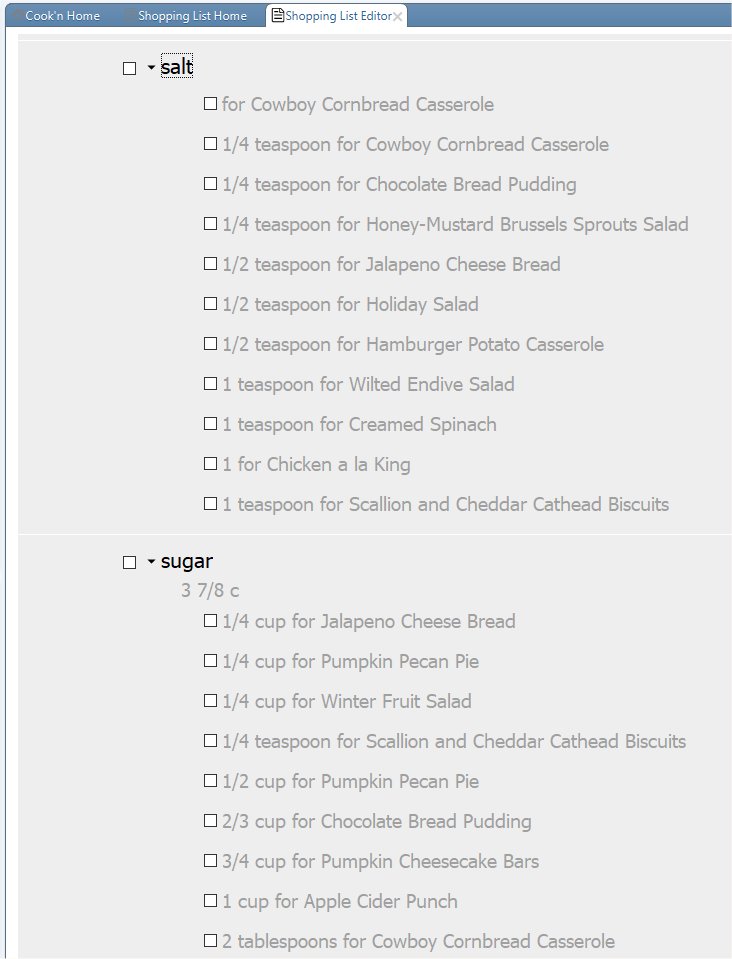
- Salt
(used in 11 different recipes) - Sugar
(used in 7 different recipes)
If so, you know exactly what she was talking about. Helpful detail on screen? Yes. Helpful on a printed shopping list? Not so much. 😉
Brennah asked if there was a way to show just the ingredients without all the recipe detail. My answer was:
“Not yet…but there absolutely should be.”
So I got out some peanut brittle right away, created a task, and assigned one of the Cook'n Elves to make the Cook’n Desktop shopping list work the same way it does on mobile—by allowing ingredient sections to be collapsed and expanded.
I’m happy to report that today’s Cook’n Desktop update does exactly that.
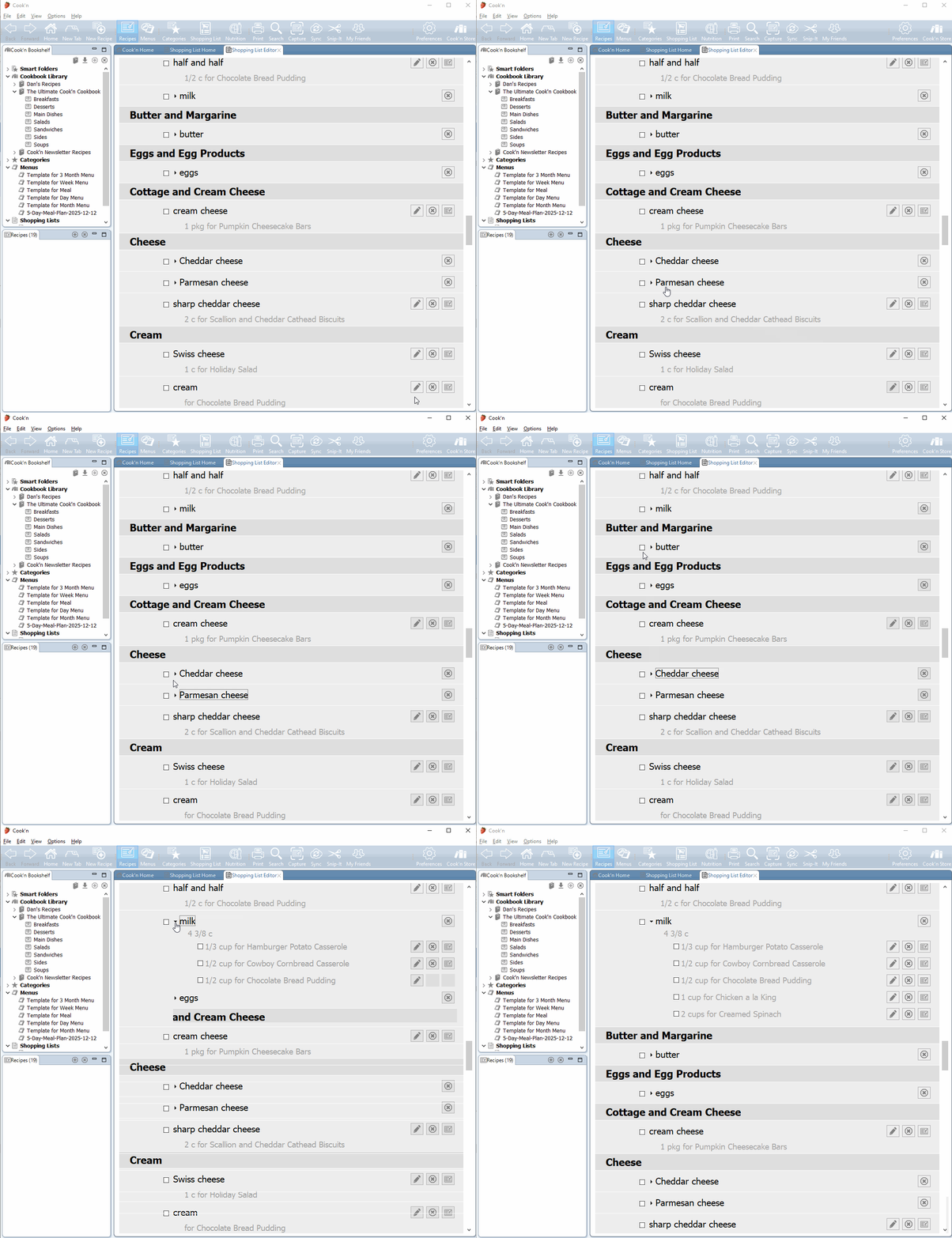
Now:
- Each ingredient item can be collapsed or expanded
- Ingredient items are collapsed by default for a cleaner, easier-to-read list
- You can expand details only when you want to see them
- And best of all—your printed shopping list respects those choices, so it’s much shorter and easier to use at the store
This was a small change with a big quality-of-life payoff—and it came directly from a real customer question, passed along by Brennah, and quickly turned into an improvement for everyone.
So thank you, Terri…thank you, Brennah…and thank you for continuing to let us know what works, what doesn’t, and what could be just a little bit better. That feedback is what keeps Cook’n improving, one thoughtful detail at a time. ❤️