
Sometimes the Best Cook'n Features Are Hiding in Plain Sight!
One of the things I enjoy about the Cook'n Forum is that sometimes a simple question turns into something that helps everybody.
Recently, JeanB started a discussion about importing recipes with Capture and Elf Scan. She had noticed that sometimes an ingredient heading such as FROSTING, SEASONING MIX, or DRESSING wasn't being picked up when the recipe was imported.
Jean likes her recipes to faithfully represent the originals, so she would go back and add those missing headings herself.
There was just one problem.
When she was using Cook'n on her Chromebook, she couldn't figure out how to put the heading in the right place. So she was actually switching over to her PC just to finish editing the recipe!
When I read that, I asked:
That's when we figured out what was really going on.
Jean knew how to add a new ingredient line. What she didn't know was that those little grabber bars on the left side of the ingredient list actually DO something! 😊
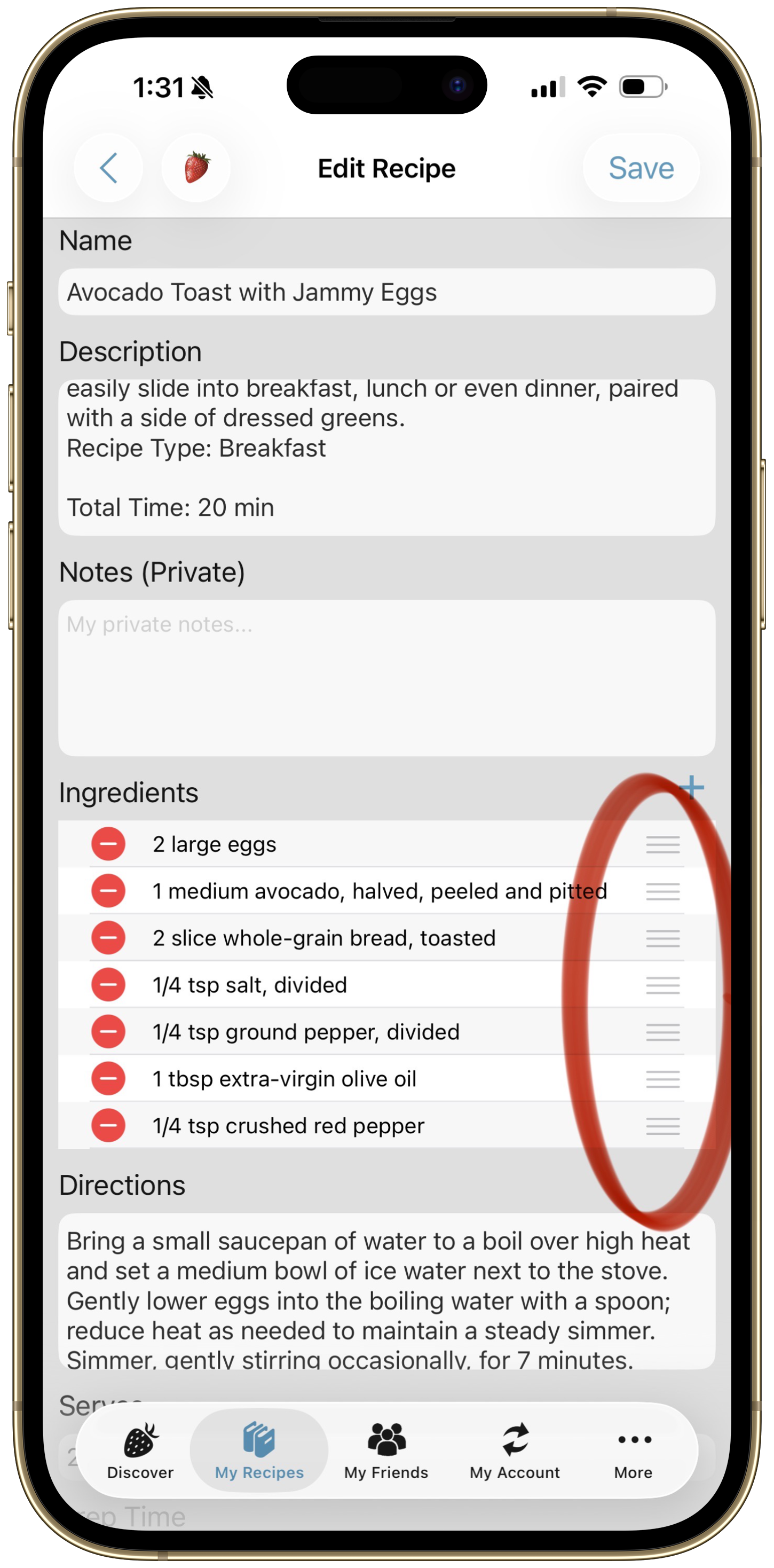
So I explained that, right from her Chromebook, she could:
- Open the recipe and tap More Options > Edit Recipe.
- Tap ADD in the Ingredients section.
- Type the missing heading, such as FROSTING or SEASONING MIX.
- Then use the little grabber bars on the left to drag that line exactly where it belongs.
No PC required!
Jean tried it and replied:
Then she made a suggestion that really caught my attention:
She's right!
Cook'n has been around for a long time, and over the years we've added a LOT of little features like this. They're designed to make things faster and easier, but some of them aren't exactly obvious if nobody ever shows you they're there.
So I think Jean may have just given me an idea for some future newsletter articles! 😊
And this exchange also illustrates something else I love about the Cook'n Forum.
The Forum is available to Cook'n Premium members, and it's much more than just a place to report problems. Cook'n users help one another, share ideas, compare notes, ask questions, and sometimes teach me things I didn't know users needed help finding!
After Jean and I worked through this one, another Forum member, Bruce, posted:
Thanks, Bruce. I sincerely appreciate that.
I can't promise that I'll have the answer to every question, but I really enjoy jumping into these conversations whenever I can. And quite often, one person's question ends up helping a whole bunch of other Cook'n users.
Which brings me back to those grabber bars...
If you've seen those little bars sitting next to items in Cook'n and wondered what they're for, now you know:
Grab 'em and drag 'em! 😊