
The Cook’n Feature That Makes Cooking an Entire Meal So Much Easier
Hey chefs,
One of the best things about Cook’n is that every recipe has one clear home.
A recipe can only exist once within your cookbook library. You do not need one copy in your weeknight cookbook, another in your summer cookbook, another in your favorites, and a fourth tucked into a holiday collection.
That keeps your library cleaner, simpler, and much easier to navigate.
Instead of scrolling through duplicate recipes and wondering which version you edited most recently, every recipe stays in its proper cookbook and chapter. There is one recipe, one set of notes, and one place to make updates.
But cooking does not always follow tidy cookbook chapters.
When you make an actual meal, you may need a protein from one cookbook, a salad from another, a sauce from a completely different chapter, and a dessert stored somewhere else entirely.
That is where categories become incredibly useful.
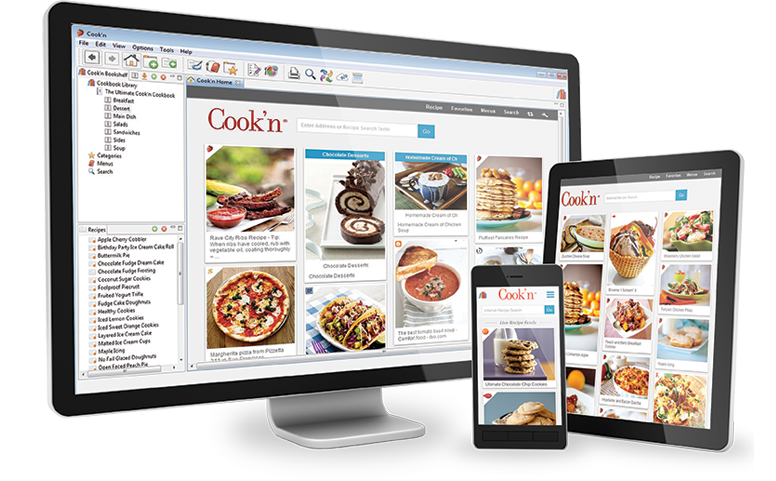
Chapters Organize Your Library. Categories Organize the Way You Cook.
A chapter answers the question:
Where does this recipe belong?
A category answers a different question:
When, why, and with what would I make this recipe?
Your grilled chicken may belong in the main dishes chapter of your summer cookbook. Your corn salad may live under side dishes. Your chimichurri may be filed with sauces, and your peach cobbler may belong in desserts.
Those are all logical permanent homes.
But if those four recipes make an excellent summer dinner together, you can also place them all in a category called “Summer Patio Dinner.”
Now, when it is time to cook, the full meal is in one place.
You can open the category and swipe between every recipe you need without repeatedly backing out, changing cookbooks, opening different chapters, and trying to remember where everything was stored.
The recipes remain organized in their original locations, but they are also temporarily or permanently connected in a way that reflects how you actually use them.
Build Complete Meal Collections
One of the most practical ways to use categories is to create complete meals.
A category could include:
- A main dish
- One or two sides
- A sauce or dressing
- Bread
- A drink
- Dessert
You might create categories such as Sunday Roast Dinner, Summer Barbecue, Taco Night, Steakhouse Dinner, or Brunch for the Family.
This is especially helpful when you find a combination that works particularly well.
Maybe you discover that your lemon chicken, roasted potatoes, shaved fennel salad, and berry shortcake make a perfectly balanced dinner. Instead of relying on yourself to remember that combination six months later, save the entire meal as a category.
Over time, Cook’n becomes more than a collection of individual recipes. It becomes a collection of successful menus you already know you love.
Save Holiday Menus Without Duplicating Recipes
Holiday meals are rarely contained in one neat chapter.
The turkey may be in a holiday cookbook. The rolls may be in breads. The potatoes may be in side dishes. The cranberry sauce may be stored with sauces and condiments, while the pies are in desserts.
A category lets you gather all of those recipes into one holiday collection without moving or duplicating anything.
You could create categories such as Thanksgiving Dinner, Christmas Morning, Easter Brunch, Fourth of July Barbecue, or New Year’s Eve Appetizers.
You can also make them specific to the year.
A category called “Thanksgiving 2026” can preserve the exact menu you served, including the dishes that were especially successful. The following year, you can repeat it, adjust it, or use it as inspiration for a new menu.
This is particularly useful for family traditions. Recipes that live in different parts of your library can still be connected by the occasion where they matter most.
Organize Recipes by Cooking Method
Sometimes you are not choosing dinner based on cuisine or recipe type.
You are choosing based on the equipment you feel like using.
You may want to cook outside, avoid heating the kitchen, use the slow cooker, or make everything on a sheet pan.
Categories can create flexible collections such as:
- Air Fryer Favorites
- Grill Recipes
- Slow Cooker Dinners
- One-Pot Meals
- Sheet Pan Dinners
- No-Oven Summer Meals
- Cast-Iron Recipes
A recipe can stay in its proper cookbook while also being added to any method-based categories where it belongs.
That means your grilled chicken can appear in both “Grill Recipes” and “Summer Patio Dinner” while still living permanently in the main dishes chapter of your summer cookbook.
This is what makes categories so powerful: they do not force you to choose only one way to think about a recipe.
Create Seasonal Collections
Seasonal cooking often cuts across every part of a cookbook library.
A peach salad, peach-glazed pork tenderloin, peach salsa, and peach cake may all live in completely different cookbooks and chapters, but they still belong together during peach season.
Categories can gather recipes around seasonal moments such as:
- Peach Season
- Peak Tomato Recipes
- Cozy Fall Baking
- Winter Comfort Food
- Spring Brunch
- Summer Grilling
- Holiday Cookies
These collections can be broad or extremely specific.
You might create one category called “Summer Recipes,” or you could build smaller collections such as “No-Oven July Dinners,” “Fresh Corn Favorites,” and “Things to Make When the Garden Tomatoes Take Over.”
The more closely your categories match the way you actually think about food, the more useful they become.
Keep Family Favorites Easy to Find
Not every useful category needs to be based on a cooking method or occasion.
Some of the best categories are based on the people you cook for.
You could create:
- Family Favorites
- Landon’s Favorites
- Meals Everyone Will Eat
- Best Recipes for Guests
- Kids’ Favorites
- Recipes Mom Always Made
This allows the same recipe to belong to several meaningful collections.
A baked pasta recipe may be a family favorite, a good meal for company, and part of your annual Christmas Eve dinner. Categories let it belong to all three without creating three separate copies.
They are also useful for tracking recipes with a personal history.
You can gather dishes connected to a particular relative, tradition, trip, or stage of life even when the recipes themselves belong in completely different sections of your cookbook library.
Organize Recipes by Mood and Situation
Traditional cookbook chapters are usually based on the type of dish: breakfast, soup, main dish, side dish, bread, or dessert.
But that is not always how we decide what to cook.
Sometimes the real question is:
What can I make when I am tired?
What feels cozy tonight?
What can I serve that looks impressive without requiring an entire day in the kitchen?
Categories can answer those questions.
You might create collections such as:
- Comfort Food
- Fast but Impressive
- Lazy Sunday Cooking
- Company Is Coming
- Meals for Hot Weather
- Cozy Rainy-Day Recipes
- Food to Bring Someone
- Weekend Cooking Projects
These categories make your cookbook library feel more intuitive because they reflect the actual circumstances in which you reach for a recipe.
Group Recipes That Share a Component
Categories are also useful for connecting recipes that use the same sauce, dough, filling, or base preparation.
For example, you could create categories such as:
- Meals with Chimichurri
- Recipes Using Pizza Dough
- Uses for Lemon Curd
- Recipes with Pastry Cream
- Meals with Pickled Onions
- Ways to Serve Pulled Pork
This can help you build complete dishes around components you already love.
Perhaps your favorite garlic-herb sauce works with steak, roasted vegetables, grilled chicken, sandwiches, and grain bowls. Those recipes may be spread throughout your cookbook library, but a category can show you all the ways that sauce fits into a meal.
It is also a great way to remember pairings that are not obvious from the recipe title alone.
Save Menus for Entertaining
When you host a meal that goes particularly well, save it.
A category can preserve the entire menu for a dinner party, birthday, shower, brunch, game night, or family gathering.
You might create:
- Italian Dinner Party
- Summer Patio Dinner
- Brunch for Eight
- Baby Shower Menu
- Casual Game Night
- Backyard Birthday Dinner
The next time you host, you do not have to reconstruct the menu from memory.
You can repeat the entire meal, borrow a few of the recipes, or use the category as a starting point for something new.
This is one of those organizational habits that becomes more valuable over time. After several years, you can build a personal library of complete, tested menus for almost any occasion.
Create Collections for Travel and Cooking Away From Home
Categories can also help organize recipes for situations where you will not be cooking in your usual kitchen.
You could gather recipes for:
- Camping
- A cabin weekend
- A beach house
- An RV trip
- A family reunion
- Cooking in a vacation rental
These collections can include recipes from many different cookbooks while focusing on what will work with limited equipment, shared kitchens, outdoor cooking, or a large group.
The recipes still stay in their normal locations, but the category becomes a practical collection for that specific trip or event.
Preserve Traditions, Not Just Recipes
Recipes are often connected by more than ingredients or cooking techniques.
They can be connected by memories.
You may have certain foods you always make on the first snow day, every Christmas morning, during General Conference weekend, or whenever your family gathers for a birthday.
Those recipes may include breakfast, snacks, dinner, and dessert, which means they would never naturally live in the same cookbook chapter.
A category can preserve the tradition as a whole.
That is one of the most meaningful ways to use this feature. You are not just organizing recipes. You are documenting the way your family cooks, celebrates, gathers, and eats together.
Let Every Recipe Have One Home and Many Connections
The beauty of Cook’n categories is that they give you flexibility without creating clutter.
Every recipe can keep one permanent home in your cookbook library. You always know where it belongs, where to edit it, and where the most current version lives.
At the same time, that recipe can belong to as many categories as you need.
It can be part of a holiday menu, a family favorite collection, a grilling category, a summer dinner, and a menu for entertaining—all without being duplicated.
That makes categories one of the best ways to bridge the gap between how recipes are organized and how meals are actually cooked.
Your cookbooks remain clean.
Your recipes remain easy to manage.
And when it is time to cook an entire meal, everything you need can be waiting together in one convenient place.
 Brennah Van Wagoner
Weekly Newsletter Contributor since 2025
Email the author! brennah.oaks@gmail.com