
|
TOP SELLERS
NEWSLETTER
• Current Issue• Newsletter Archive CONTACT US
• Contact Info • Agave Nectar • Mexican Vanilla 
|
|||||||||



      |
|
 |
 |
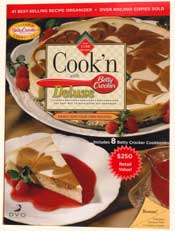
DVO has been happy to provide Cookn software for over a decade and a half. Computers have changed alot since Cookn was first released. Older versions of Cookn were programmed before Vista was released. They will not function properly on a computer running Vista. DVO has released Cookn Recipe Organizer v8 which will work on computers running Vista.
You can transfer your existing Cookn data to a new computer running version 8. First install Cookn v8 on the new computer. Then make a backup file on the old computer (file > backup) transfer your backup file. Then restore your backup file onto the new computer. (file > restore).
Single cookbooks can be exported. Then installed (file > export > cookn recipe file) Then imported on the new computer. (file > export > cookn recipe file)
You can transfer your existing Cookn data to a new computer running version 8. First install Cookn v8 on the new computer. Then make a backup file on the old computer (file > backup) transfer your backup file. Then restore your backup file onto the new computer. (file > restore).
Single cookbooks can be exported. Then installed (file > export > cookn recipe file) Then imported on the new computer. (file > export > cookn recipe file)
If you have v8 of Cookn and are unable to name backups or imports do the following:
Right click on the cookn icon
Select properties
Select the compatibility tab
At the top uncheck the “run this program under….” checkbox
Click on apply then ok
Right click on the cookn icon
Select properties
Select the compatibility tab
At the top uncheck the “run this program under….” checkbox
Click on apply then ok
|
|
Back |
Cook'n is Also Available At:      |
Affiliate Program | Privacy Policy | Other Resources | Contact Us | MAC Software  © 2012 DVO Enterprises, Inc. All rights reserved. Sales: 1-888-462-6656 Powered by WithinMySite.com |